

Key takeaway: Cyber Monday usually ends at 11:59 p.m. local time, but the exact deadline depends on the retailer, promotion, and time zone.
Some offers end earlier, while others continue into a broader Cyber Week event. Check the deal page, cart, and checkout terms before waiting.
Cyber Monday does not have one universal closing time.
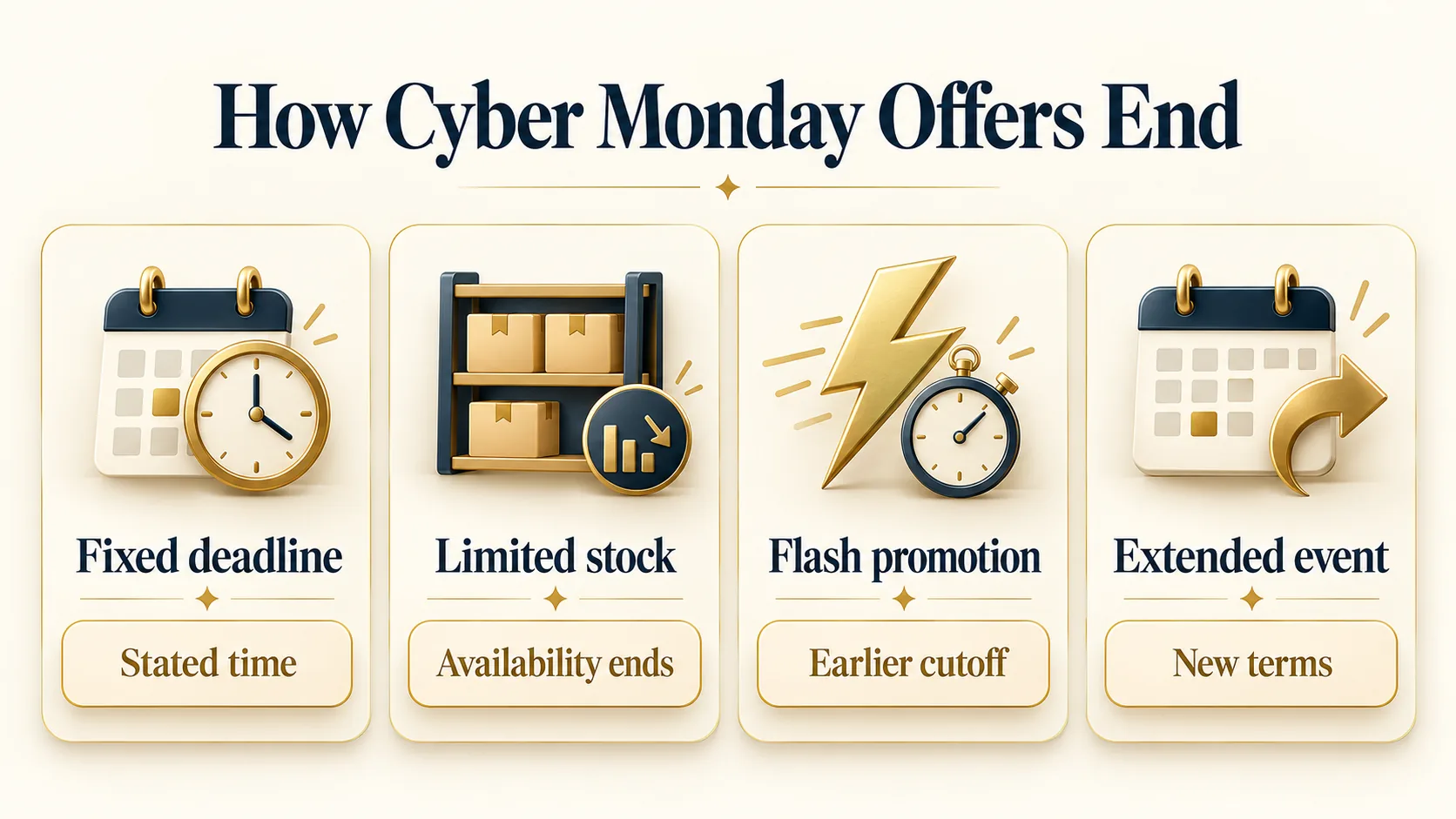
Retailers set their own deadlines, and an offer can disappear when its stated window ends, when inventory changes, or when a promotion is replaced.
The practical answer is to treat the advertised end time as the cutoff, not the holiday name itself. That matters when several stores use different time zones or extend promotions without notice.
Knowing the likely end of Cyber Monday helps you choose when to compare, verify, and purchase.
A late-night shopper may still find an active promotion, but shipping promises, stock status, and payment authorization can change before checkout finishes.
This guide explains the common timing patterns, the clues that reveal a real deadline, and the steps that reduce last-minute shopping mistakes.
Typical Cyber Monday Closing Times
Most Cyber Monday promotions end at 11:59 p.m. in the retailer’s stated time zone. That might mean the shopper’s local time, the company’s operating time, or a platform-wide deadline.
The product page or promotion terms should control the answer. A headline saying “today only” is less precise than a displayed countdown or an end date with a time zone.
Some retailers end individual deals throughout the day instead of closing every offer together. A limited promotion may have a separate end time, while the wider Cyber Monday event remains active.
Digital products, memberships, and services can follow different rules from physical goods.
Read the offer details for exclusions, eligibility, minimum requirements, and whether the benefit applies automatically.
A retailer can also extend Cyber Monday into Cyber Week or another seasonal event. An extension is not a promise that every original offer will remain available.
Selected products may change, inventory may sell through, and a replacement promotion may have different conditions.
The safest assumption is that the current offer ends when its terms say it ends, even if similar savings appear later.
Use the earliest clear deadline when planning a purchase. If the banner ends at midnight but a product page shows an earlier cutoff, act on the earlier time.
Save the item page and promotion terms for reference, then confirm that the offer appears in the cart before payment.
A visible discount at checkout is stronger evidence than a general seasonal banner.
We cover the mechanics in more depth in how the sales actually work.
Use a time reference to compare time zones when a Cyber Monday deadline is not listed in local time.
Why End Times Differ By Retailer
Retailers choose different deadlines because their websites, marketing systems, warehouses, and customer service teams operate differently.
One store may use a national campaign clock, while another schedules offers by regional time zone. Marketplace sellers may have separate rules from the marketplace itself.
The holiday provides a shopping theme, but it does not create one shared legal or technical timer.
Time zones create a common source of confusion. A promotion announced by a company headquartered in one region may display a deadline based on that region, not the shopper’s location.
International websites can add another layer through local storefronts, currency, tax, and delivery rules.
Look for a time zone beside the deadline, and avoid assuming that midnight means midnight where you live.
Mobile applications, email links, and desktop websites may not show identical campaign language.
A retailer can target a particular audience with a member offer, app-exclusive promotion, or personalized code. These offers may have their own conditions and expiry times.
The terms attached to the specific offer matter more than a search result, social post, or old promotional message.
Retailers may end an offer when a stock allocation is exhausted, even before a scheduled time. They may also correct an error, withdraw a code, or replace a promotion according to its terms.
This does not mean every deal is unstable. It means shoppers should distinguish between a fixed closing time and an offer that is limited by availability or eligibility.
Review consumer guidance before relying on advertising claims, online offers, or unclear promotion terms — see review consumer guidance.
How To Read A Deal Deadline
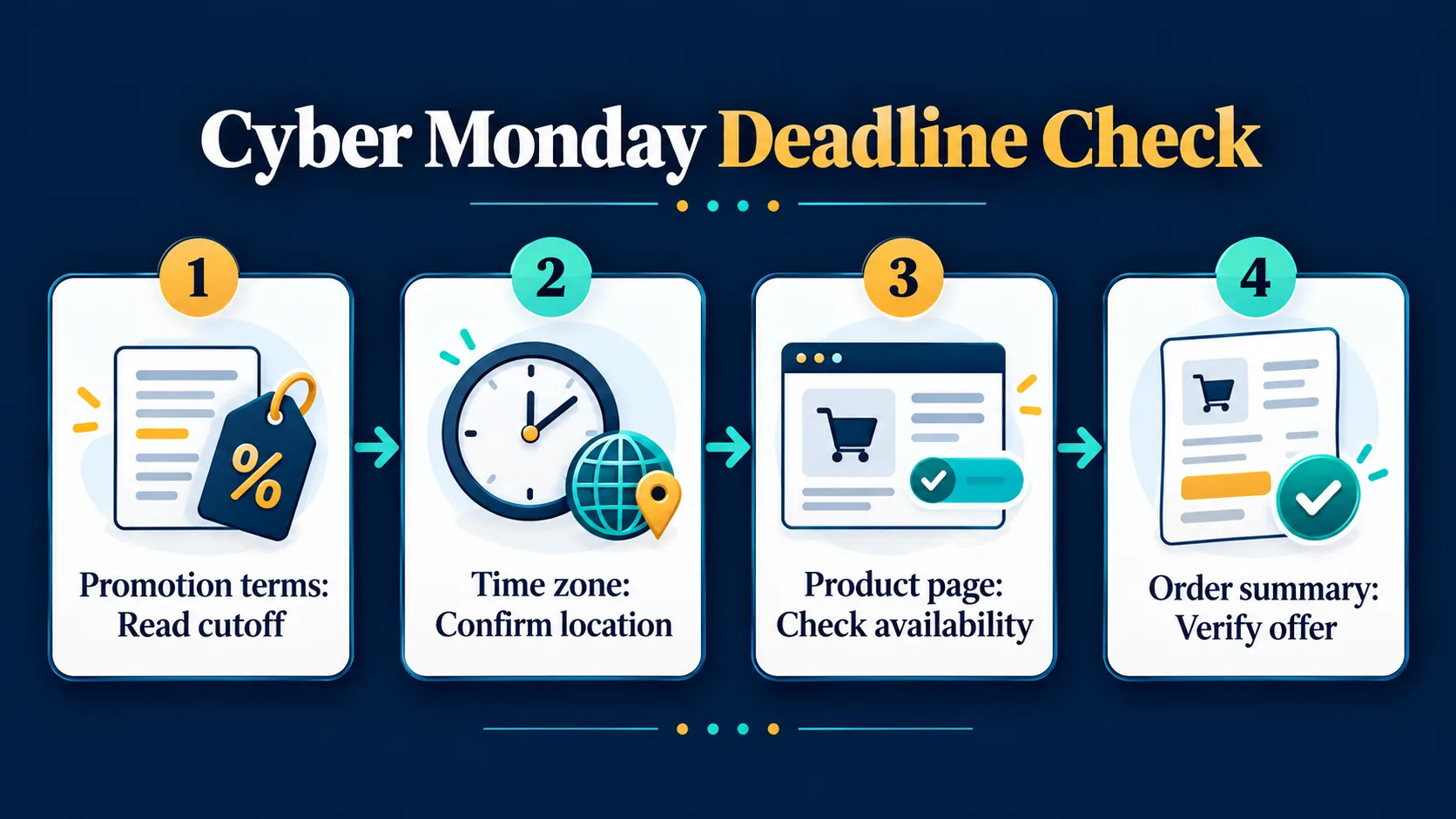
Start with the promotion’s terms rather than the largest text on the page. Find the words that define the eligible products, required code, qualifying account, payment method, and end time.
Check whether the discount applies before tax and delivery charges. A deal can appear active while a cart fails to qualify because one condition was missed.
A countdown timer can help, but it is not always enough to establish the exact deadline. The timer may depend on the browser, device, location, or campaign version.
Compare it with the written terms and the product page. If the two conflict, take a screenshot for your records and contact the retailer before relying on the promotion.
Watch for phrases such as “while supplies last,” “ends tonight,” and “through Cyber Monday.” These phrases do not always mean the same thing.
“Through” commonly suggests the promotion includes that day, but the published terms should identify the final hour.
“Ends tonight” is incomplete without a time zone, especially for shoppers browsing a national or international website.
The cart is the final practical checkpoint. Confirm the promotion remains attached after entering delivery details, selecting a fulfillment option, and choosing payment.
Review the order summary before submitting. Do not assume that adding an item to a cart reserves inventory or locks an offer.
Many retailers apply the price and availability only when the order is accepted.
Check official time standards when a retailer gives a precise deadline with a time-zone abbreviation — see check official time standards.
What Happens After Cyber Monday
After Cyber Monday, retailers often move into a broader holiday campaign. Some Cyber Week promotions continue, while other offers switch to gifts, shipping deadlines, clearance, or loyalty incentives.
The name may change even when the shopping event feels continuous. Compare the new terms instead of assuming the previous promotion has simply been extended.
A product that remains available after Cyber Monday may not carry the same offer. Codes can expire, bundles can change, and stock can move between fulfillment locations.
Retailers may also remove a deal from search results while keeping the item page active. Check the current product information and cart total before treating a later promotion as equivalent.
Shipping becomes more important as the season progresses. A purchase made after the holiday event may have a different delivery estimate, pickup option, or return deadline.
Promotional timing and delivery timing are separate issues. Confirm the promised arrival window and the return policy, especially when buying gifts or ordering from a marketplace seller.
Waiting can still be sensible when the deal is not urgent, the terms are unclear, or the product has a flexible seasonal window.
Acting quickly makes more sense when the promotion has a firm deadline, stock language, or a needed delivery date. The best decision depends on the complete offer, not on the Cyber Monday label alone.
Review delivery information separately because a promotion deadline does not guarantee a holiday arrival — see review delivery information.
Last Minute Cyber Monday Checklist
Begin by confirming the seller, product model, condition, and included accessories. Seasonal pages can combine new, refurbished, open-box, and marketplace listings.
The advertised offer may apply to only one version. Read the item details before comparing totals, because a lower displayed price does not establish that two listings provide the same product.
Next, verify the deadline and qualifying rules. Copy the code exactly when one is required, and check whether it must be entered before a stated time.
Review membership restrictions, quantity limits, excluded brands, and shipping requirements.
If the code works in the cart, continue through the order summary to make sure the promotion remains visible.
Keep records of the offer details and order confirmation. Save the product name, promotion terms, expected delivery window, and return information.
A confirmation email can show what the retailer accepted, while an abandoned cart does not prove that a price was reserved. These records help resolve a missing promotion or delivery question later.
Avoid rushing through security and payment checks. Use the retailer’s official website or application, inspect the web address, and avoid links that request unusual account information.
Review the final total and seller identity before submitting. If the deadline passes, do not use an unverified code or third-party claim to recreate the offer.
Find the next legitimate promotion instead.
Frequently asked questions
What time does Cyber Monday end?
Cyber Monday commonly ends at 11:59 p.m., but the applicable time zone and retailer terms decide the cutoff. Some deals end earlier, and limited-stock offers can disappear first.
Check the promotion page, product listing, and cart for the clearest active deadline.
Does Cyber Monday end at midnight?
Many Cyber Monday events end at midnight, but midnight is not a universal rule. A retailer may use local time, a company time zone, or a campaign-specific deadline.
Read the written terms and confirm the offer in checkout rather than relying on a banner.
Can Cyber Monday deals continue after Monday?
Yes. Some retailers extend promotions into Cyber Week or replace them with another seasonal event. An extension does not guarantee that every product, code, or condition will remain unchanged.
Compare the new offer and verify its current terms before purchasing.
Do Cyber Monday deals end at different times?
They can. A retailer may schedule separate closing times for flash promotions, product categories, member offers, and limited inventory.
The general event may remain active while an individual deal ends. Treat the specific product and promotion terms as the controlling information.
What happens if I add a deal to my cart before it ends?
Adding an item to a cart usually does not reserve its price, inventory, or promotion. The offer may need to remain active when the order is submitted and accepted.
Review the cart and final order summary before payment to confirm the discount still applies.
Is it safe to wait until the last minute?
Waiting can work when the terms are clear and the item is readily available, but it adds risk. Inventory, codes, delivery estimates, and website traffic can change.
If the purchase matters, verify the deadline and complete checkout before the stated cutoff.
More Black Friday and Cyber Monday guides
Planning the rest of your Black Friday? These cover the same shopping window:

